Market updates
Receive price updates for enabled symbols inside your MetaTrader 4 workspace.

Market data for MetaTrader 4
Access supported Indian market instruments directly in MetaTrader 4 for professional charting, indicator analysis and multi-symbol scanning, with setup assistance from Infinite Charts.
Confirm exact segment, contract and symbol availability before subscribing.
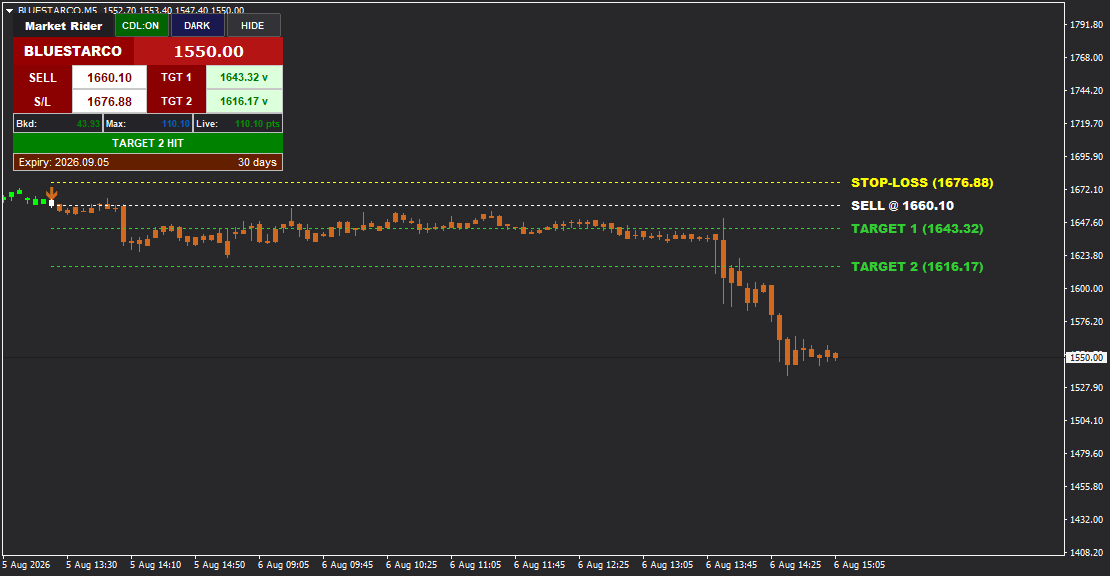
Built for real MT4 workflows
An MT4 data feed delivers market price updates and supported symbols to MetaTrader 4. It turns MT4 into a practical market-analysis workspace where you can open charts, change timeframes and use compatible indicators, scanners or Expert Advisors.
Infinite Charts combines the feed with direct setup assistance and first-hand experience building MT4 indicators, scanners and MQL systems for Indian-market workflows.
Market coverage
Choose the coverage that matches your charting and analysis requirements.
Practical capabilities
Designed to support repeatable charting and technical-analysis workflows.
Receive price updates for enabled symbols inside your MetaTrader 4 workspace.
Analyse supported instruments using familiar MT4 charts and timeframes.
Build watchlists and move between configured cash, derivative and commodity symbols.
Use compatible multi-symbol scanners to review broader market conditions efficiently.
Run compatible indicators and discuss custom EA data requirements before setup.
Get help connecting MT4, applying the setup and loading supported symbols.
Simple assisted setup
Tell us the segments and instruments you need.
Confirm current demo terms and test the workflow.
Receive the required MT4 setup and connection guidance.
Open supported charts and verify the required instruments.
Use MT4 charts, compatible indicators and scanners.
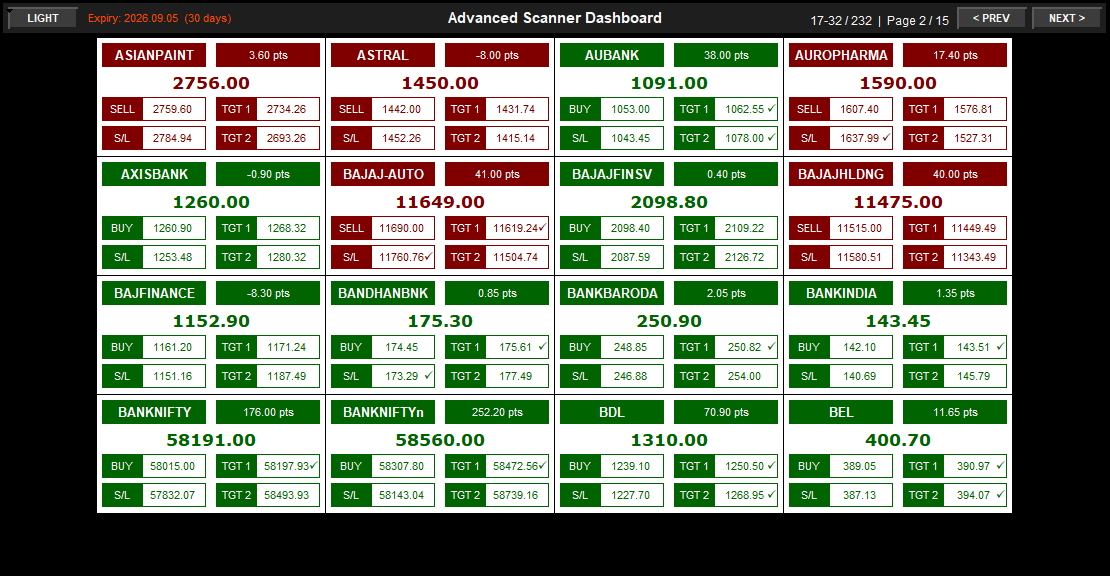
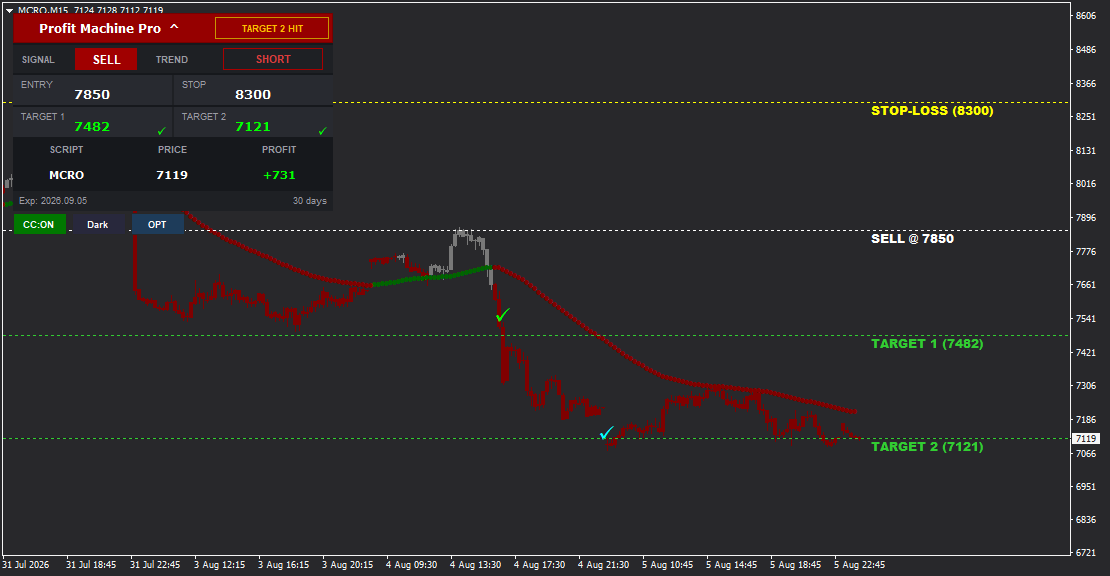
Real platform views
Examples from Infinite Charts MT4 tools running on market charts.
Plans and demo
Plans depend on the market segments and instruments you require. Share your coverage needs to receive current pricing, availability and demo terms.
Request current plans
Buyer questions
Clear answers about coverage, setup and compatibility.
An MT4 data feed supplies market prices and symbol updates to MetaTrader 4 so traders can view charts, apply indicators, run scanners and analyse supported instruments inside the platform.
Infinite Charts provides coverage for supported equity, cash, commodity, indices, futures and options instruments. Symbol and contract availability can vary, so confirm your exact requirements before subscribing.
Yes. Request a demo through WhatsApp so the team can confirm your required market segment, MT4 setup and currently available demo terms.
The feed is intended for MetaTrader 4 charting workflows and compatible MT4 indicators and scanners. Confirm compatibility when using a third-party or custom tool.
EA compatibility depends on the EA logic, symbol naming and data requirements. Share your EA requirements with the team before choosing a plan.
Yes. Setup assistance is available to help install the provided configuration, connect MT4 and load supported market symbols.
Historical data availability depends on the selected market and plan. Ask the team to confirm the required history and backfill coverage before subscribing.
Availability varies by market segment, instrument and plan. Confirm volume or Open Interest requirements for your exact symbols before purchase.
Check market coverage, update behaviour, historical data, symbol naming, indicator or EA compatibility, installation support, connection stability and current pricing.
Use the View Plans or WhatsApp button and provide the markets and instruments you need. The team will share currently available plans and demo details.
Ready to check your market coverage?
Tell us the equity, cash, commodity, indices, futures or options instruments you want to analyse in MetaTrader 4.
Request Free Demo